Launch Your Digital Product for Passive Income
ONLINE INTERNET BUSINESSDIGITAL PRODUCTS
Veronica from Build and Sell Digital
1/31/2026
You've done the thing, haven't you?
Saved that article about launching a digital product. Watched three different YouTube videos about passive income. Maybe even joined a Slack group for aspiring creators where everyone talks about their "upcoming launch" but nobody's actually launched anything.
And here you are. Still idea-rich and product-poor.
Look, I'm not judging. I get it. There's something weirdly comfortable about the planning phase. It feels productive without the terrifying vulnerability of actually putting something out there. You can research pricing strategies for a product that doesn't exist yet and feel like you're making progress.
But let's be honest—you didn't click on this article to read another motivational pep talk about believing in yourself. You clicked because some part of you is tired of being the person who almost creates things.
So here's the deal: I'm going to walk you through a system that collapses the entire "someday I'll launch a product" fantasy into one very real, very doable weekend. Not a metaphorical weekend. An actual Friday-to-Sunday where you go from validated idea to live product that someone can buy with actual money.
No fluff. No "build your personal brand first." No twelve-step preparation phase that somehow never ends.
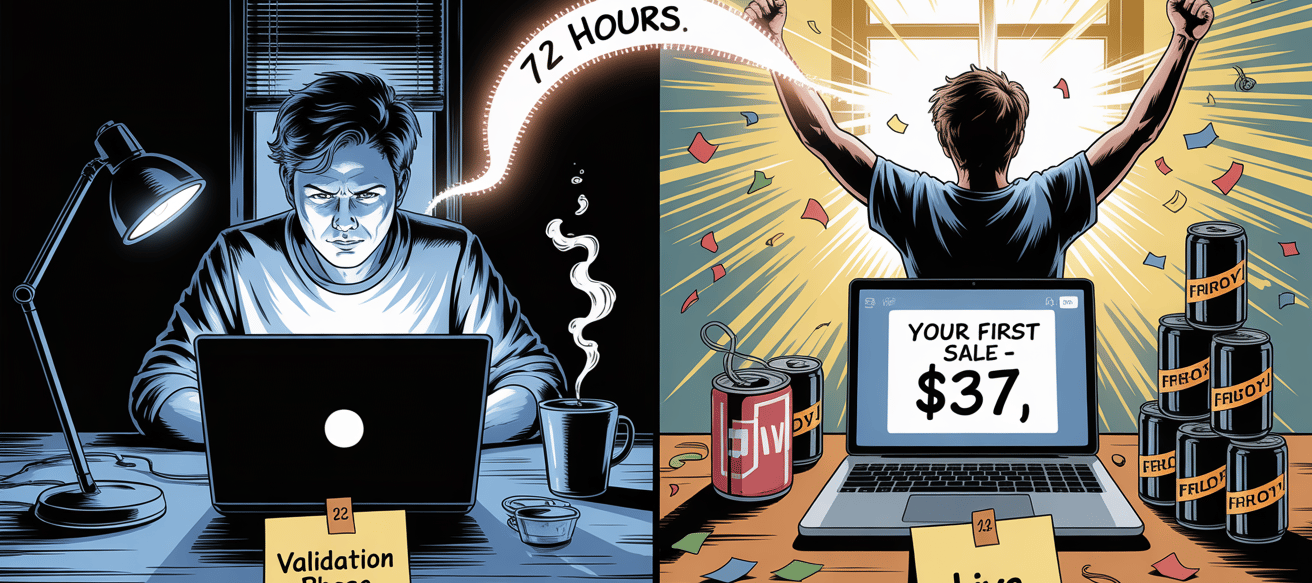
Just you, 72 hours, and a framework that's been stripped down to only the parts that actually matter.
The catch? You have to be willing to ship something imperfect. Because perfection is just fear wearing a fancy hat.

You know this dance already. You tell yourself you'll start creating once you've read just one more guide about Teachable vs. Kajabi. Then you fall down a rabbit hole comparing checkout page conversion rates. Three hours later, you've got fourteen browser tabs open and you're further from launching than when you started.
Here's the thing nobody tells you: that research spiral isn't really about gathering information. It's a coping mechanism. As long as you're still in "learning mode," you're safe from the possibility that your product might not be good enough.
But here's what actually happens when you launch something imperfect: you learn more in one week of real feedback than in six months of theoretical preparation. The market teaches faster than any guru's course ever could.
The fix isn't to stop researching. It's to put a timer on it. You get exactly one hour to answer each question, then you move forward with whatever you learned. Imperfect information acted upon will always beat perfect information that stays theoretical.
Because here's the uncomfortable truth: you're never going to feel "ready." That feeling you're waiting for? It doesn't exist. Readiness is a myth sold by people who profit from keeping you in permanent student mode.
Perfectionism Traps: Why Your Standards Are Sabotaging Your Start
Let's talk about the secret function of perfectionism, because it's not what you think.
When you say "I just want to make sure it's actually good before I launch," what you're really saying is: "If I never finish, I never have to find out if I'm as talented as I think I am."
Perfectionism isn't about having high standards. It's about using impossible standards as an emotional safety net. If the bar is "this needs to be the best resource ever created," then of course you can't clear it. And if you can't clear it, well, you don't have to face the vulnerability of putting your work in front of real humans who might not like it.
I've seen this play out a hundred times. Someone spends eight months crafting the "perfect" course, never ships it, then watches someone else launch a scrappy version of the same idea in two weeks and make $5K in the first month.
The difference? The second person understood something crucial: your first product isn't a reflection of your ultimate potential. It's a learning vehicle. You're not building your magnum opus—you're building your training ground.
Professional creators aren't better at making flawless first attempts. They're just better at tolerating the gap between their vision and their current execution. They ship the messy version because they know version 2.0 only exists after version 1.0 gets real-world testing.
You think you're the exception—that your first product needs to skip the awkward phase everyone else went through. You're not. And honestly? That's the most liberating thing you'll hear all week.
Analysis Paralysis: The Illusion of One More Article
The stats are kind of depressing, honestly. Something like 80-95% of people who decide to create a digital product never actually publish anything. And it's not because they gave up—most of them still consider themselves "working on it."
They're trapped in what I call the planning dimension. It's this weird alternate reality where endless research feels identical to actual progress.
Let me show you the three trapdoors most beginners fall through.
Why Most Beginners Never Launch (And Why You're About to Be Different)


Okay, so you've decided to actually create something. Congratulations! Now you just need to pick your:
Email service provider (Mailchimp? ConvertKit? Mailerlite?)
Course platform (Teachable? Thinkific? Kajabi? Thrivecart? Membervault?)
Payment processor (Stripe? PayPal? Both?)
Landing page builder (Leadpages? Unbounce? Convertbox?
Analytics tool (Google Analytics? Fathom? Plausible?)
Oh, and each platform has competitors claiming to be "better," and they all have comparison blog posts, and somehow you're now reading Reddit threads from 2019 about checkout page abandonment rates.
Welcome to decision fatigue. It's the psychological phenomenon where making too many trivial choices depletes your mental energy for the important ones. By the time you've researched email providers for six hours, you're too exhausted to actually write any emails.
Here's the antidote: You're going to use exactly four tools, most of which you probably already have. I'm going to tell you which ones. You don't get to comparison shop. You don't get to optimize. You pick the simplest option and move on.
Why? Because beginners optimize for features. Professionals optimize for speed. You don't need the "best" platform—you need the fastest path from idea to sale. Once you've made actual money, you can afford to get fancy.
Right now? Simple beats sophisticated every single time.


The One-Weekend Digital Product Sprint Model (How This Actually Works)
Alright, let's get specific. I mean actually specific, not "set aside some time this month" specific.
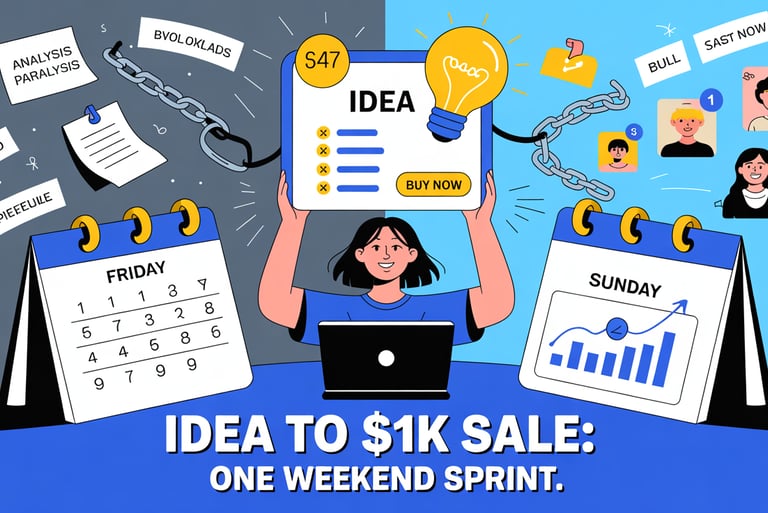
You're going to block off Friday evening, all day Saturday, and Sunday morning. That's roughly 20-24 focused hours across three days. And by Sunday afternoon, you'll have a real product that real people can buy with real money.
I know that sounds insane. You're probably thinking "but I need weeks to create something worthwhile!"
Nope. You think you need weeks because that's how long the bloated version takes—the version where you overthink every detail, second-guess every decision, and treat your first product like it needs to win a Pulitzer.
This sprint works because it weaponizes constraints. Limited time kills perfectionism. Limited scope forces clarity. Limited tools prevent analysis paralysis.
You're not building the dream product you fantasize about at 2 AM. You're building the product that can physically exist by Sunday. Big difference.
Friday Evening: Idea Validation (3-4 hours)
This isn't the creative brainstorming session where you journal about your passions. This is reconnaissance. Market intelligence. Finding where what you can deliver intersects with what people are already opening their wallets for.
You're going to analyze search behavior, stalk successful competitors, and identify gaps small enough to fill this weekend but valuable enough to charge for.
By the time you close your laptop Friday night, you'll have: a one-sentence product description, a clear picture of your target buyer, and a rough outline of what you're building.
No existential crisis about finding your purpose. No vision boarding. Just signal detection.
Saturday: Build (10-12 hours)
This is where people imagine they'll be trapped for weeks, right? Slaving away, perfecting every sentence, redesigning every slide seventeen times.
Wrong. You're going to spend one day. One intense, focused, slightly caffeinated day.
The entire build phase is engineered around one question: "What's the smallest transformation I can deliver that someone would actually pay $30-50 for?"
Not everything you know about the topic. Not a comprehensive encyclopedia. Just the direct answer to one specific problem that's keeping someone stuck right now.
You'll use templates. You'll use AI drafting tools. You'll use modular content structures that let you accomplish in twelve hours what normally takes twelve weeks. Not because you're cutting corners—because you're cutting bullshit.
Platform Confusion: Decision Fatigue Before You Even Begin


Step 1: Filter Ideas Using Buyer Signals (Not Passion or Guesswork)
Let's start with something that might sting a little: your idea doesn't need to be original. It needs to be wanted.
Most beginners approach this backward. They ask themselves, "What am I passionate about?" or "What do I have expertise in?" Then they spend three months creating something no one asked for, launch it to crickets, and wonder why their genius isn't being recognized.
Here's the better question: "What are people already spending money on that I could deliver my own version of?"
This isn't about copying. It's about demand validation. You want proof that a market exists before you create anything. And the strongest proof? People actively buying solutions right now.
Keyword Intent Clusters: Reading the Market's Mind
Fire up Google Keyword Planner, or just start typing in Google's search bar and watch what autocomplete suggests. Type something broad in your domain—"productivity for," "learn how to," "beginner's guide to"—and pay attention to what the algorithm reveals.
You're hunting for buyer-intent phrases. These are searches where someone isn't just browsing—they're trying to solve a problem now.
Look for patterns like:
"How to [specific outcome] quickly/this weekend/in 7 days"
"[Topic] for beginners step by step"
"Best way to [solve problem]"
"[Problem] solution that actually works"
Each phrase is basically a flashing neon sign that says "PEOPLE ARE ACTIVELY LOOKING FOR THIS." When you see search volume in the hundreds or thousands, you've found real demand. When competition is low, you've found room to actually be seen.
The mental shift: You're not choosing a topic based on what excites you most. You're choosing a question that's already being asked at scale. Your product is just the most useful answer you can package up.
Marketplace Reconnaissance: Following the Money
Go where similar products are already selling. Gumroad, Etsy's digital downloads section, Amazon Kindle, Udemy, Skillshare. Type in your category and sort by bestselling or most reviews.
You're not looking for inspiration here. You're looking for validation patterns:
What specific outcomes are the top sellers promising?
What price ranges dominate?
What formats work best? (PDF guides, video courses, templates)
What are people complaining about in the reviews?
That last one is gold, by the way. Reviews are where people tell you exactly what existing products are missing. Those gaps are your opportunities.
When you find a product with 500+ sales and a 4-star average, you've discovered two things: proven demand and a quality ceiling you can beat. That's your blueprint.
Competitive Gap Analysis: Finding Your Wedge
Pull up the top three to five products in your space. Read every review you can stomach. Study the sales pages. If there are free previews, consume them. You're building a gap map—the distance between what currently exists and what buyers actually need.
Common gaps beginners can exploit:
The complexity gap: Existing products assume too much prior knowledge. You win by simplifying ruthlessly.
The speed gap: Everything out there is a 40-hour masterclass. You win by solving one urgent problem in two hours.
The format gap: Everyone's doing video. You win by offering a scannable PDF for people who hate watching videos.
The outcome gap: Most products teach theory. You win by delivering the done-for-you template.
You don't need to be better at everything. You need to be dramatically better at one specific thing for one underserved slice of the market.
By the end of Friday night, you should be able to complete this sentence:
"A [format] that helps [specific person] achieve [concrete outcome] without [main obstacle] in [timeframe]."
Example: "A PDF checklist that helps freelance writers land their first client without cold emailing in one week."
If you can't fill that in, keep digging. If you can, you're ready to build.
Step 2: Engineer a Tiny Transformation (The Art of Deliberate Smallness)
This is where most people sabotage themselves spectacularly.
They confuse "valuable" with "comprehensive." They think bigger equals better. So they scope out a product that would realistically take three months to create, get about 11% of the way through, burn out, and quit.
Then they beat themselves up for "not following through," when really the problem was terrible scope management from the start.
Your first product should be almost embarrassingly small. Not because you're lazy or uncommitted. Because you're strategic.
Outcome-First Design: Reverse Engineering From Results
Start at the end. What is the one specific, tangible result your buyer wants to achieve? And I mean specific. Not "get better at email marketing." Not "understand productivity."
What concrete outcome would make them feel like the purchase was worth it within 24 hours of going through your product?
Real examples:
Write a cold email that actually gets responses
Choose the right project management tool without getting paralyzed by options
Meal prep five dinners in under an hour
Use a specific script to negotiate a $5K raise
Set up Google Analytics 4 correctly on the first try
Notice these are all verbs. Nouns are too vague. "Email marketing" is a topic. "Write a three-email welcome sequence that converts at 8%" is an outcome.
Once you've nailed down that outcome, work backward: What's the absolute minimum information someone needs to achieve this specific result?
Not everything you know about the subject. Not everything they should know eventually. Just the essential pathway from where they are to where they want to be.
This is subtractive design. You're removing everything that's interesting but not essential. The test: "If I deleted this section, could they still achieve the outcome?" If yes, delete it. Save it for product number two.
Shrinking Scope Without Killing Value: The Micro-Expertise Model
The secret to fast products is constraint-based credibility. You're not positioning yourself as the world's foremost expert on productivity. You're positioning yourself as the person who solved this one specific productivity problem in this particular context better than anyone else.
Examples that actually work:
Not "how to grow on Instagram" → "How I got my first 1,000 Instagram followers selling digital products without running a single ad"
Not "beginner's guide to investing" → "The exact three-fund portfolio I used to invest my first $10K"
Not "starting a podcast" → "Launch-ready podcast setup for under $200 that doesn't sound like you're recording in a bathroom"
See what's happening? You're narrowing the scope until you're the definitive voice in a space small enough to actually dominate. Beginners are terrified of narrowness. Experts weaponize it.
This also solves your credibility problem, by the way. You don't need a decade of experience to teach "everything about copywriting." But you absolutely have the credibility to teach "the subject line formula that doubled my client's open rates." One is impossible to prove. The other is a case study.
"Done Beats Perfect" Systems: Psychological Permission Structures
You need mantras that give you permission to ship imperfect work. Here are the frameworks that separate launchers from eternal planners:
Version 1.0 thinking: This product doesn't need to be timeless. It needs to be helpful right now to one person. You'll improve it based on real feedback, not imagined standards.
The 80/20 quality threshold: Your product needs to be 80% as good as the best competing product. Not better. Not perfect. Just competent enough that buyers feel they got value. That bar is shockingly low, especially for beginner-focused topics.
The "would I pay $20 for this?" test: Not "is this the best resource ever created?" Just: would you personally pay your asking price for what you've built? If yes, ship it.
Launch-as-research: You're not selling a finished product. You're selling access to version 1.0 while gathering data for version 2.0. This reframe kills perfectionism because the product is explicitly incomplete by design.
Internalize this: The transformation doesn't need to change someone's entire life. It just needs to be real. If your product saves someone two hours, a hundred dollars, or one frustrating mistake, it's valuable.
That's the bar. Everything else is ego.
Step 3: Create With Speed Multipliers (Technology as Acceleration, Not Replacement)
You've got 10-12 hours on Saturday to build this thing. You're not going to craft every sentence from scratch like some kind of productivity martyr.
You're going to architect the structure, then deploy tools that multiply your effort by 5-10x.
This is where people get weird about "AI-generated slop" or "losing authenticity." Ignore those people. You're not outsourcing thinking—you're outsourcing typing. Massive difference.
AI Drafting Workflows: The Expert-in-the-Loop Model
Tools like Claude and ChatGPT aren't ghostwriters. They're collaborative thought partners. Here's how you actually use them without producing soulless garbage:
The outline-first approach: You create the skeleton. Every section. Every key point. Every transition. The AI doesn't decide what to teach—you do.
Then you feed each section to the AI with prompts like: "Write a 300-word explanation of [concept] for someone who's [specific context]. Use concrete examples. Skip the jargon. End with a one-sentence takeaway."
You get a draft in 30 seconds. Then you edit for voice, accuracy, and personal insight. What would've taken 45 minutes of staring at a blank page takes 10. You didn't sacrifice quality—you eliminated the blank-page paralysis that kills momentum.
The rough-to-polished pipeline: Voice-record your messy thoughts. Just talk through what the buyer needs to know, stream-of-consciousness style. Feed that transcript to AI with: "Turn this brain dump into clear, structured content for [product type]. Keep my voice and examples but organize it logically."
The AI becomes your editor, not your author. You're still the expert. The tool just translates your expertise into readable form faster than you could manually.
The fact-check loop: Never publish AI output raw. Ever. Your job is verification and personalization. Read every line. Ask yourself: Is this accurate? Is this how I'd actually explain it? Where can I add better examples from my own experience?
The AI gets you 70% of the way there. You provide the 30% that makes it distinctly yours.
Template Stacking: Starting From 80% Done
Why start from blank pages when frameworks already exist?
For PDFs and ebooks: Canva has hundreds of workbook and lead magnet templates. Filter by "workbook," pick something clean, swap in your content, adjust the colors (pick three: one primary, two accents), and export.
Total time for a professional-looking 15-page PDF: about 90 minutes.
For slide decks: Google Slides templates or Gamma.ai. Drop your outline into pre-designed layouts. You're not a graphic designer—you're someone using design infrastructure that already works.
For video courses: Record your screen or your face over simple slides. Use Descript or QuickTime. No fancy editing. No B-roll. No cinematic transitions. Students want clarity, not cinematography.
Total time for a two-hour course if you're working from an outline: 4-6 hours.
For email courses: Steal the structure from successful competitors (structure isn't copyrightable). Day 1: introduce the problem. Day 2: explain your solution framework. Days 3-5: tactical steps. Day 6: case study. Day 7: next steps.
Fill that proven framework with your content.
Templates aren't creativity killers—they're decision eliminators. You're not deciding "how should I lay out a checklist?" You're deciding "what goes in the checklist?" The template handles the how. You handle the what.
Modular Content Reuse: The Lego Block Method
Every piece of content you create should work in multiple contexts. Create once, deploy everywhere.
Example: You write a 2,000-word guide called "How to Validate a Product Idea in 24 Hours."
That same content becomes:
The core PDF product
A blog post driving traffic to your product
A Twitter thread teasing the framework
A YouTube video walking through the process
A Pinterest pin linking to your product page
Email #2 in your launch sequence
You're not creating six separate things. You're reformatting one thing six ways. Added time: maybe 2-3 hours. Added reach: 6x.
Build modularly from the start. Break your product into standalone sections. Make each section valuable even in isolation. Use clear headers that work as standalone titles. Include a takeaway at the end of each section.
Now each module can live independently. Section 3 becomes a LinkedIn post. Sections 1-2 become a lead magnet. The full assembly becomes your paid product.
You're not working harder—you're working architecturally.
Step 4: Package for Instant Perceived Value (The Psychology of "Worth It")
Your product could deliver life-changing value, but if it looks like something you threw together during a lunch break, nobody's buying it.
Packaging isn't vanity. It's communication. It signals professionalism, effort, and value before anyone reads a single word.
Here's the uncomfortable truth: humans judge digital products by superficial markers first. The content quality matters, but only after the packaging convinces them to look inside.
Covers and Naming Formulas: First-Impression Engineering
Cover design for non-designers:
Use Canva's ebook or course cover templates. Pick something clean and modern. Avoid anything that screams "2014 info product"—you know, the ones with glossy effects and stock photos of people in suits pointing at you.
Your cover needs three elements:
Title in large, readable font (skip the script fonts)
Subtitle clarifying the specific outcome
Optional credibility badge ("Used by 500+ creators" or "2025 Edition")
Quick color psychology: Blue signals trust. Green suggests growth or money. Orange conveys energy. Black feels premium. Pick one primary color. Don't use more than two.
Naming formulas that actually convert:
The best product names balance specificity with intrigue. Use this structure:
[Outcome]: [Method] for [Specific Audience]
Examples:
"First Client in 7 Days: The Freelance Launch Playbook"
"Inbox Zero Without Burnout: The 15-Minute Email System"
"Your First $1K Month: The Weekend Product Sprint"
Skip the clever wordplay. "The Quantum Transformation Matrix" means absolutely nothing to anyone. "Land Your First Coaching Client This Month" is crystal clear.
Clarity beats cleverness every single time.
Bonuses That Inflate Conversion: The Perceived Value Stack
Here's a secret: bonuses don't need to take hours to create, but they can dramatically increase perceived value. You're playing with psychology, not labor.
High-value, low-effort bonus types:
Checklists and templates: Distill your main process into a one-page checklist or fillable template. Takes 20 minutes. Adds "$27 value" to your sales page.
Resource lists: Curate tools, links, or communities related to your topic. "The 37 Best [Category] Resources" costs you nothing but delivers immediate utility.
Email support: Offer 30 days of email questions or a one-time Q&A call for early buyers. Creates urgency, adds value, gives you direct feedback.
Swipe files: Include 3-5 real examples. Teaching email writing? Include subject lines that worked. Teaching resume creation? Include annotated samples.
The value stack presentation:
List everything on your sales page:
Main product: $97 value
Bonus #1: $27 value
Bonus #2: $19 value
Total value: $143
Your price: $37
This isn't manipulation if the components genuinely help. You're just making the math explicit. Buyers love feeling they're getting a deal. Give them the evidence.
Trust Signal Placement: Overcoming the "Who Are You?" Objection
You're unknown. You have no testimonials. No case studies. No portfolio.
This is the beginner's catch-22: you need sales to build credibility, but credibility to get sales.
Trust signals you can deploy immediately:
Your own results: "I used this exact system to [specific outcome]." You might not be an established expert, but you have your own case study. You solved this problem for yourself.
The "I was you" story: "Six months ago, I was exactly where you are. Here's what changed..." Peer credibility works. Relatability is its own trust signal.
Process transparency: Show your work. Include screenshots or behind-the-scenes of how you created the product. "I spent 47 hours researching these strategies so you don't have to." Transparency equals trustworthiness.
Money-back guarantee: "If this doesn't help you [outcome] within 30 days, full refund." This eliminates risk. Most people won't actually request refunds, but the guarantee removes the purchase barrier.
Proof of specificity: General claims get dismissed. Specific claims get believed. Don't say "this works great." Say "This approach cut my research time from 6 hours to 45 minutes per project."
Position these signals where objections arise:
Right after the headline (establish credibility)
After the price reveal (remove risk)
In the FAQ (address specific doubts)
You're not lying about credentials. You're framing what you have in a way that addresses buyer hesitation.


Pricing your first product isn't an economics decision. It's a psychology experiment.
You're not optimizing for maximum profit. You're optimizing for traction—the feeling of making sales, getting feedback, building evidence that this works.
Most beginners either overprice out of optimism or underprice out of fear. Both are mistakes.
Psychological Price Tiers: Where Numbers Feel Right
Certain price points trigger specific mental categories. Understanding these thresholds helps you position strategically.
$9-19: Impulse territory. "I've spent more on coffee." Use this for lead magnets or micro-products solving one tiny problem.
$27-49: Considered impulse. They'll think about it for five minutes but won't consult anyone. Sweet spot for first products—high enough to feel valuable, low enough to eliminate decision friction.
$97-197: Investment zone. They're comparing alternatives, reading reviews, maybe asking a friend. Only go here if you have strong positioning or testimonials.
$297+: Serious commitment. They need significant proof of ROI. Don't start here unless you have case studies and social proof.
For your first product: Price between $27-49. It's high enough that sales feel meaningful but low enough that buyers take a chance on you without extensive trust.
You're building your "I can sell things" muscle, not funding retirement.
Tripwire vs. Flagship: Understanding Product Hierarchy
You're not building a single product. You're building the first step in a value ladder.
Tripwire product ($9-27): The goal isn't profit—it's conversion. You want someone to become a buyer. Once they've purchased from you once, they're dramatically more likely to buy again. This product pays for itself in customer acquisition.
Flagship product ($47-97): Your main offer. Substantial enough to feel like a real solution, priced to generate meaningful revenue per sale. Most first products should be flagship-priced—not because you're greedy, but because underpricing devalues your work and attracts tire-kickers.
The sweet spot for most beginners: $37-47. It's psychologically below the $50 scrutiny threshold but above "cheap impulse buy" territory.
You're signaling: "This is a real product that required real work."
Scarcity Ethics: Creating Urgency Without Manipulation
Urgency increases conversions. But fake urgency destroys trust. You need genuine reasons for people to act now.
Ethical scarcity tactics:
Introductory pricing: "First 50 buyers get this at $37. Then it goes to $67." This is honest if you actually raise the price. And you should—early buyers deserve a discount for taking more risk.
Bonus expiration: "Buy this week and get [bonus]. After that, just the core product." The bonus costs you nothing, but its removal creates a real deadline.
Feedback incentive: "First 25 buyers get a 30-minute Q&A call." Valuable to you (feedback) and them (access). Naturally limited.
Seasonal relevance: If your product helps with taxes, it's naturally urgent in March. Holiday marketing? Urgent in October.
What to avoid:
Countdown timers that reset when you refresh
"Only 3 spots left!" for infinite digital products
Fake scarcity you can't enforce
Urgency should feel like opportunity, not pressure.
Step 5: Price for Momentum (Not Revenue Maximization)
Step 6: Launch Without a List (The Zero-Audience Strategy)
Every guru tells you to "build an audience first." They're wrong—at least for your first product.
Building an audience before you have a product is like digging a well before you know if there's water. You post for months, get minimal engagement, and eventually give up.
Flip it: use your product as the audience-building tool. Launch to the public internet, not to followers you don't have yet.
Search-Driven Posts: Content as Discovery Infrastructure
Google never sleeps. You need content that ranks for searches your buyers are already making.
The blog-to-product funnel:
Write 3-5 blog posts targeting bottom-of-funnel keywords—searches indicating purchase intent:
"[Topic] tutorial for beginners"
"How to [outcome] step-by-step"
"Best [tool] for [use case]"
"[Problem] solution that actually works"
Each post should:
Deliver genuinely useful free value (solve 80% of the problem)
Naturally mention your product as the complete system
Include CTAs mid-article and at the end
Link to your sales page 2-3 times
Example structure:
Title: "How to Validate a Product Idea in 24 Hours (Complete Guide)"
Content: Walk through your validation framework
CTA: "Want the complete system including templates and my exact checklist? Check out [Product Name]."
You're not hiding value. The blog post should genuinely help. But you're offering depth and saved time for those who want the shortcut.
Where to publish:
Medium (built-in distribution)
Your own blog (better for long-term SEO)
Quora/Reddit (answer real questions, link to your post)
Get these published before Sunday ends. They work while you sleep.
Pinterest and Short-Form SEO: Visual Discovery Engines
Pinterest is a search engine wearing social media clothing. People come with intent—looking for solutions.
The pin-to-product strategy:
Create 5-10 pins per blog post:
Vertical format (1000x1500px)
Clear benefit-driven headline
Link to your blog or product
Keyword-rich description
Pin types that work:
Checklist pins
How-to infographics
Before/after comparisons
Common mistake guides
Pinterest users are significantly more likely to purchase. They're in planning mode. Perfect for digital products.
YouTube Shorts / TikTok / Reels:
Create 3-5 short videos (30-60 seconds):
"The 3-step system I used to [outcome]"
"Biggest mistake people make with [topic]"
"I tried [thing] for 30 days. Here's what happened."
End with: "Full breakdown in my guide—link in bio."
These aren't "content strategies." They're product distribution infrastructure. Every piece funnels intent to your sales page.
Platform Leverage: Marketplaces as Built-In Traffic
The fastest path to sales with zero audience: list where buyers are already shopping.
Gumroad: List your product. Optimize for their Discover page. Millions of people browse Gumroad looking for digital products. You're intercepting existing traffic.
Etsy (for templates/printables): Active shoppers searching for specific solutions. Use long-tail keywords in titles.
Amazon KDP (for book-style products): Publish as an ebook. Use free promotion days. Let Amazon's algorithm work for you.
The omnichannel approach: Don't pick one. Use all that fit. Your product lives on Gumroad, gets discovered via Pinterest, and ranks on marketplaces.
Multiple channels mean multiple chances for discovery.
By Sunday, you should have:
Product live on at least one platform
2-3 blog posts published
5-10 pins scheduled
1-2 short videos posted
Now the internet works while you don't.
Step 7: Capture Data, Not Just Sales (Turning Transactions Into Intelligence)
Your first $100 in revenue feels amazing. But your first buyer's feedback? That's transformational.
Most beginners celebrate sales and ignore learning. You're doing the opposite.
Every transaction is a data point. Every buyer is a research participant. You're not just selling—you're running an experiment.
What to Track: Metrics That Actually Matter at Zero
Forget vanity metrics. Track what teaches you something:
Conversion rate: Sales divided by page views. If 100 people visit and 3 buy, you're at 3%. This tells you if your offer resonates. Benchmark: 2-5% for cold traffic.
Traffic source breakdown: Where are sales coming from? If 80% come from one Pinterest pin, double down. If blog posts drive traffic but no sales, your CTA needs work.
Time to first sale: How long between launch and first purchase? If it's 6+ weeks, your distribution needs adjusting.
Revenue per visitor: Total revenue divided by visitors. Your benchmark for future optimization.
Refund rate: Digital products average 2-5%. Above 10%? Something's wrong with expectations. At 0% after 50 sales? You might be underpriced.
Set up tracking immediately:
Google Analytics on your product page
UTM parameters on all links
Platform analytics (Gumroad has this built in)
Check five numbers once a week. That's enough to spot patterns.
First-Buyer Surveys: The Gold Mine Everyone Ignores
Within 24 hours of a purchase, send this email:
"Hey [Name], thanks for grabbing [Product]. Quick question: What made you decide to buy? Just hit reply with a sentence or two. Helps me make it better."
Half won't respond. The half that do will tell you:
What pain point was urgent enough to pay for
What almost stopped them
What convinced them
What they wish was included
This is voice-of-customer data. You'll discover keywords you missed, objections you didn't address, and unexpected use cases.
Use it to iterate:
Update sales copy with exact buyer phrases
Add FAQ addressing near-objections
Create bonus for unexpected use case
Post-purchase question sequence:
Day 0: "What almost stopped you from buying?"
Day 7: "What's been most helpful?"
Day 30: "What would make this 10x better?"
You're not pestering. You're involving them in development.
Iteration Loops: Version 1.0 → Version 1.3 in 60 Days
Your product launches incomplete. That's the strategy.
The 30-day review cycle:
Collect all feedback and questions. Look for patterns:
Five people ask the same question? That section needs clarity.
Three request the same feature? Add it as a bonus.
Two misunderstand a concept? Rewrite it.
Release version 1.1. Email all buyers: "Free update. Here's what's new."
This does three things:
Improves the product
Re-engages buyers (who might refer someone)
Gives you marketing material ("Updated with feedback from 50+ users")
Feedback-driven expansion:
Your first product is the beachhead. Feedback tells you what to build next.
Buyers say "This was great, but I wish it covered X"? That's product #2.
Buyers say "I got [result]. Now I need help with Y"? That's an upsell.
You're not guessing. You're letting customers design your roadmap.
Rapid-Fire Beginner Questions (The Ones Keeping You Up at Night)
Is This Passive Income?
Not at first, and anyone who tells you otherwise is selling something.
Months 1-3: Highly active. Creating, launching, tweaking, marketing, answering questions. This is closer to a part-time job.
Months 4-6: Semi-passive. Product is polished. SEO content is ranking. Sales happen without active pushing. But you're still doing support and occasional marketing.
6+ months: Approaching passive. If you've built distribution systems (SEO, Pinterest, YouTube), sales happen while you sleep. But you'll still do updates and maintenance.
True passive income requires upfront active work plus ongoing maintenance. The goal isn't zero work—it's decoupling time from income.
Don't expect mailbox money in week two. Expect to build an asset that compounds.
What Niches Work?
Almost any niche with these characteristics works:
Demonstrated demand: People searching for solutions, buying existing products, asking questions.
Urgent problems: "How do I solve this now?" beats "Someday I'd like to learn about X."
Clear outcomes: Skills and processes that produce tangible results. Abstract philosophy without tactics? Much harder sell.
Beginner-friendly entry points: You don't need to compete with comprehensive courses. Solve one sharp problem for newcomers.
Niches that consistently work:
Productivity systems
Business templates for freelancers
Creative skills for beginners
Health and habit formation
Personal finance basics
Communication and relationship scripts
Hobby skill-building
What doesn't work:
Overly saturated markets with zero differentiation
Topics requiring credentials you don't have
Solutions to problems people don't know they have
The niche matters less than your ability to identify a specific sub-problem and solve it clearly.
"Productivity" is too broad. "Inbox management for ADHD entrepreneurs" is a niche you can own.
Can I Do This While Working Full-Time?
Yes. That's literally the entire point of the weekend sprint.
The realistic timeline:
Friday evening: 7 PM - 11 PM (4 hours) → Validation Saturday: 8 AM - 8 PM with breaks (10 hours) → Build Sunday morning: 8 AM - 1 PM (5 hours) → Package and publish
Total: 19 hours across three days.
You're not quitting your job. You're using one weekend to build something that could eventually reduce dependence on that job.
Post-launch maintenance:
30 minutes daily: Customer emails, analytics
2 hours weekly: One marketing asset
1 hour monthly: Review data, plan iteration
This is sustainable alongside full-time work. You're not building a second job. You're building a scalable side asset.
Your job funds this experiment. You're not trying to replace income in month one. You're trying to make $100, then $500, then $2K, then re-evaluate.
Most people who go full-time did it after 12-18 months of side-hustle validation. Not as a leap of faith.
You now have the complete system. The question isn't whether this works—it's whether you'll use it.
The internet is filled with people who almost launched something. Don't be one of them.
Block your calendar. Pick your idea Friday night. Build Saturday. Publish Sunday.
Seventy-two hours from now, you could have a live product someone can buy. Or you could have another bookmark in a folder called "Someday."
The choice, as always, has been yours all along.
Products / Tools / Resources
For Validation & Research:
Google Keyword Planner – Free keyword research directly from Google. Shows search volume and competition.
AnswerThePublic – Visualizes questions people are asking about your topic. Great for content ideation.
Gumroad Discover – Browse bestselling digital products to see what's working in your niche.
Udemy marketplace – Sort by bestselling to find validated course topics and review feedback patterns.
For Building Content:
Claude or ChatGPT – AI writing assistants for drafting, editing, and organizing content faster.
Descript – Record, transcribe, and edit video/audio content by editing text. Shockingly simple.
Canva – Drag-and-drop design tool with templates for ebooks, workbooks, social media, and course covers.
Google Docs – Free, collaborative, cloud-based. Honestly, you probably don't need anything fancier.
For Packaging & Hosting:
Gumroad – Dead simple platform for selling digital products. Built-in payment processing and discovery.
Thrivecart – If you're building a course, this handles hosting, payment, and student management.
Mailerlite – Email marketing for creators. Free up to 1,000 subscribers. Clean, creator-focused interface.
For Launch & Distribution:
Medium – Publish articles with built-in audience. Use their distribution to drive traffic to your product.
Pinterest – Underrated search engine for digital products. Create pins linking to your sales page.
TikTok / Instagram Reels – Short-form video discovery. Post teasers of your framework with link in bio.
Etsy (digital downloads) – If your product is a template or printable, this marketplace has millions of active buyers.
For Tracking & Optimization:
Google Analytics – Free website analytics. Set it up on day one even if you don't check it daily.
Gumroad Analytics – Built into the platform. Shows traffic sources, conversion rates, and revenue.
Tally or Typeform – Create simple surveys to gather buyer feedback. Free tiers available.
Publishing isn't just clicking "upload." It's the entire presentation layer: creating your product cover, writing sales copy, setting up payment processing, and getting your first piece of marketing content live.
By Sunday at noon, your product is discoverable. Not to your email list (you don't have one). Not through paid ads (you can't afford those). Through organic search and platform leverage—the only launch strategy that works when you're starting at absolute zero.
This timeline sounds impossible because you're comparing it to the version taught by people who benefit from keeping you in perpetual preparation mode. That version includes months of "finding yourself," weeks of "building anticipation," and countless hours on tasks that feel important but generate zero revenue.
This sprint strips all that out. What's left is the irreducible core: figure out what people want, build it, sell it.
That's it. That's the whole game.